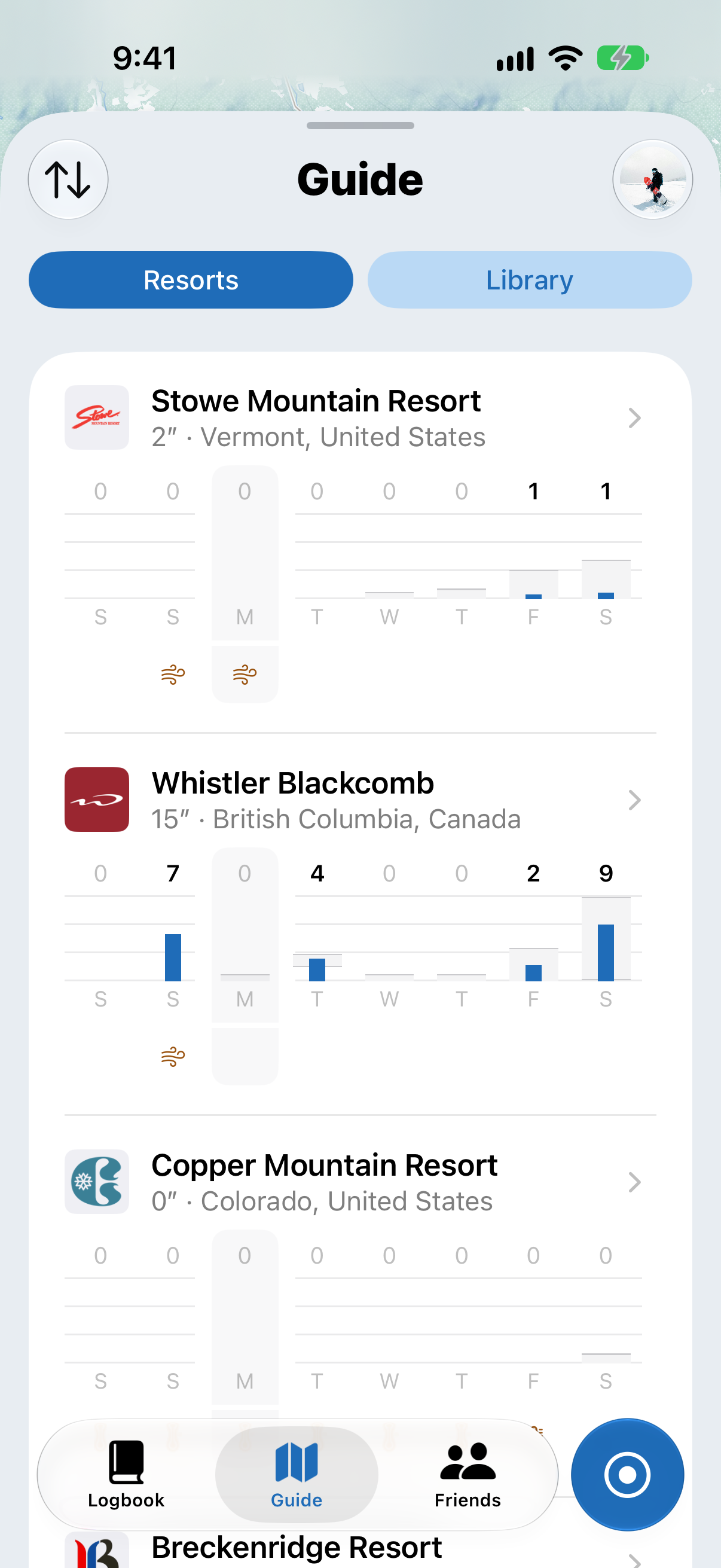
How do I follow resorts and see where the snow is?
Follow your favorite resorts to see their snow at a glance, all in one list.
Following resorts
- Open the Guide tab and tap Resorts
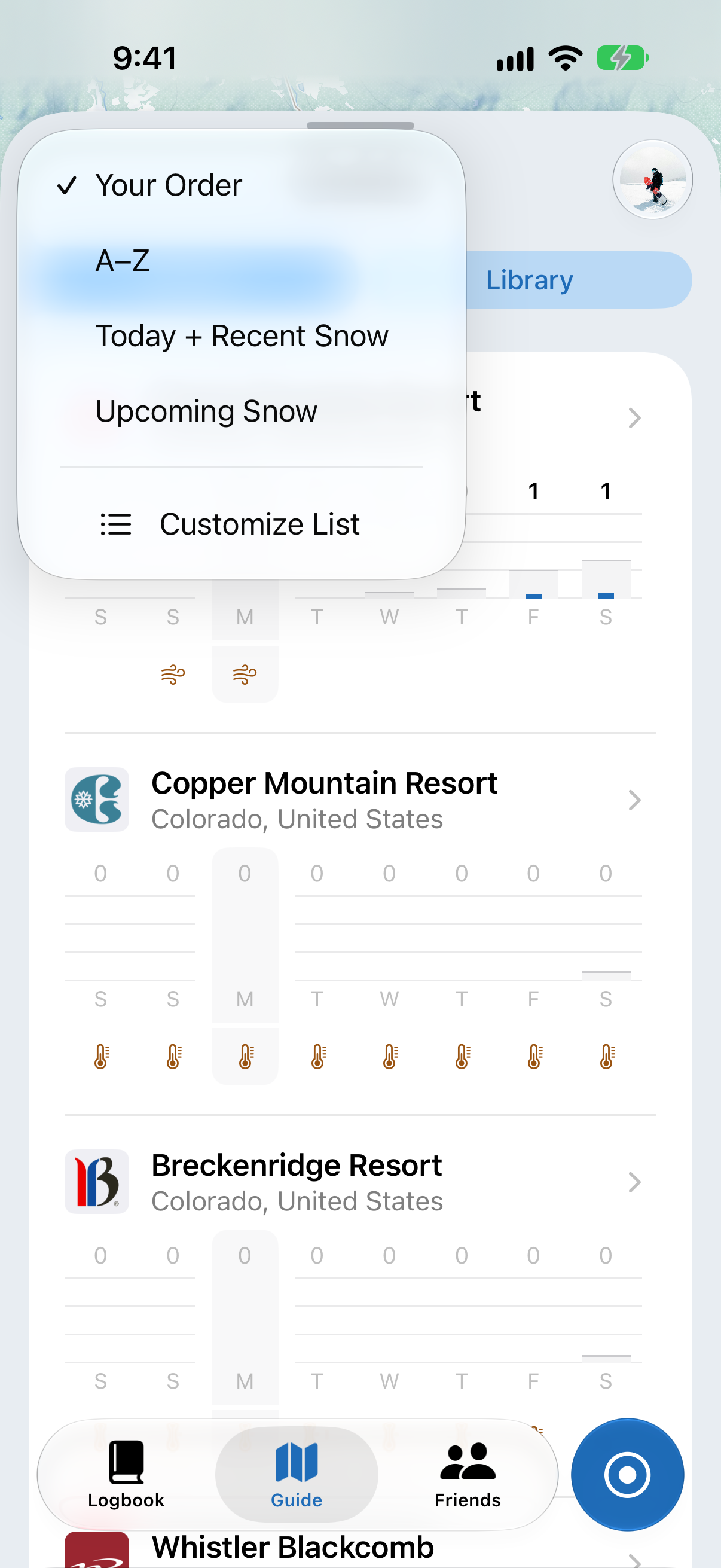
- Tap the sort button (the up and down arrows) at the top left, then Customize List. This opens Favorites.
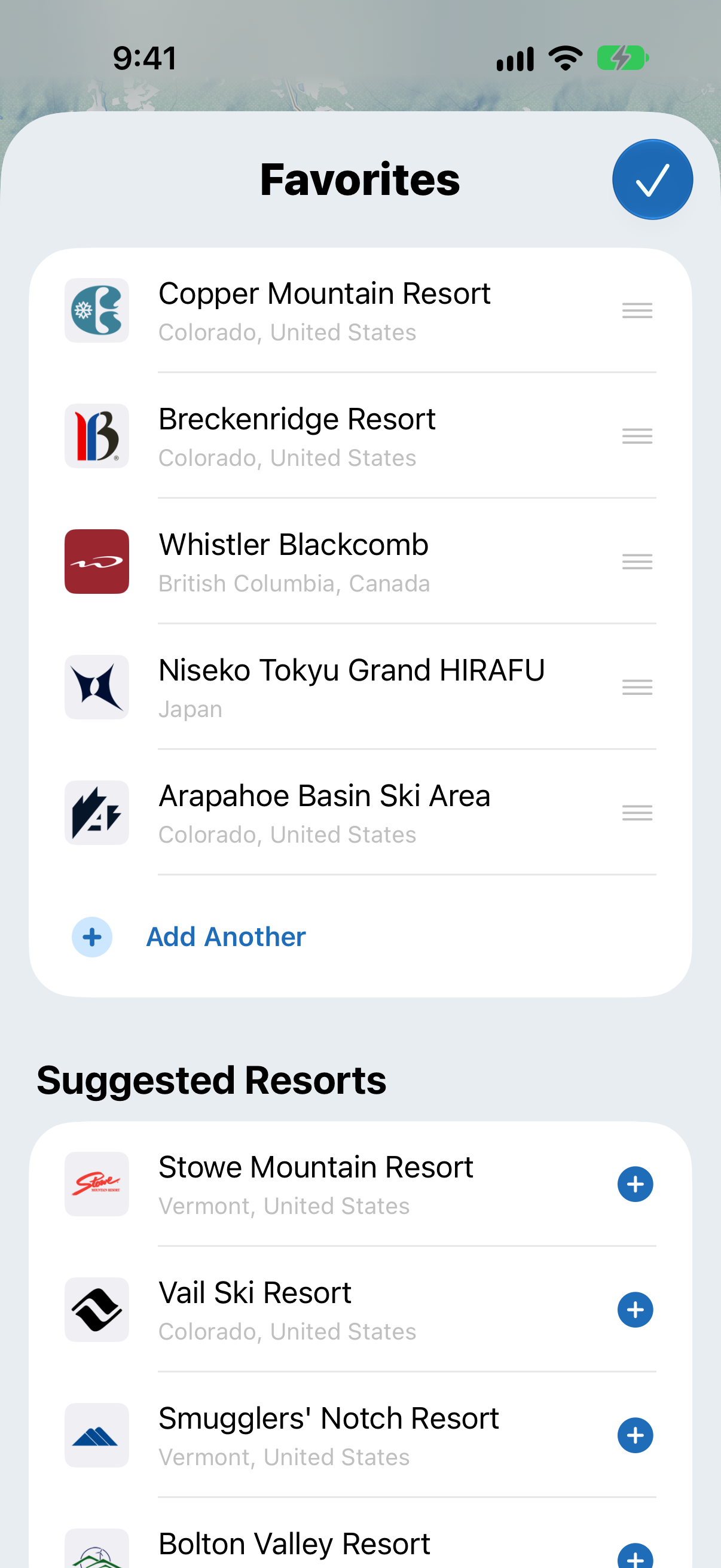
- Tap Add Another to find a resort, or tap + next to one of the Suggested Resorts
- Drag the handles to put them in the order you like, or remove any you don't need
- Tap the tick to save
If you're not following any resorts yet, you'll see popular and nearby resorts instead. New to Slopes? There's also a shortcut to add your favorite resort in the checklist on your Logbook.
If you're at a resort, it always shows at the top of the list, even if you don't follow it.
Seeing where the snow is
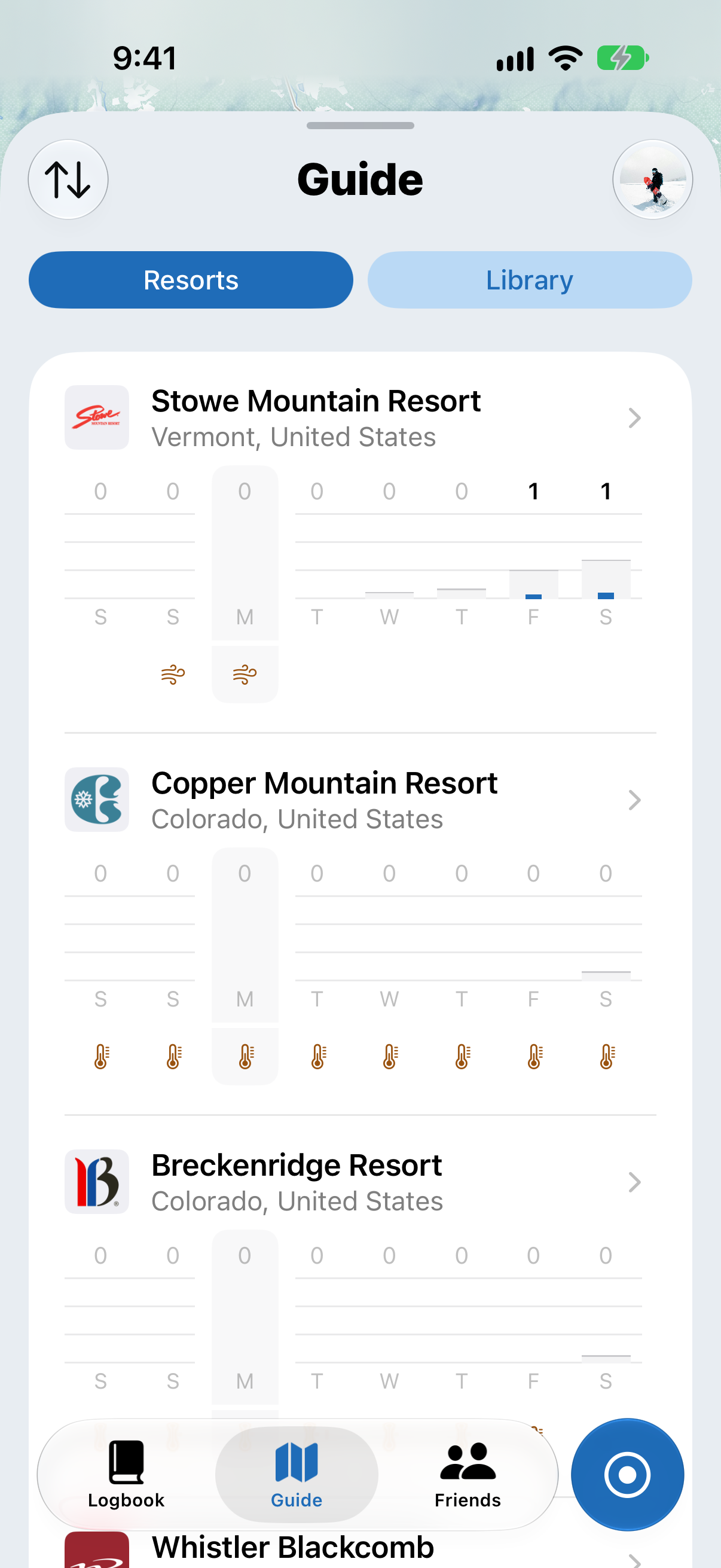
Each resort you follow shows a 5-day forecast, plus the last 2 days. To see the best snow first, sort the list by:
- Today + Recent Snow: the most snow today and over the last few days
- Upcoming Snow: the most snow in the forecast
You can also sort by Your Order or A–Z, and tap any resort to see its full forecast.