How do I disable the Insta360 integration?
Disconnect in Slopes
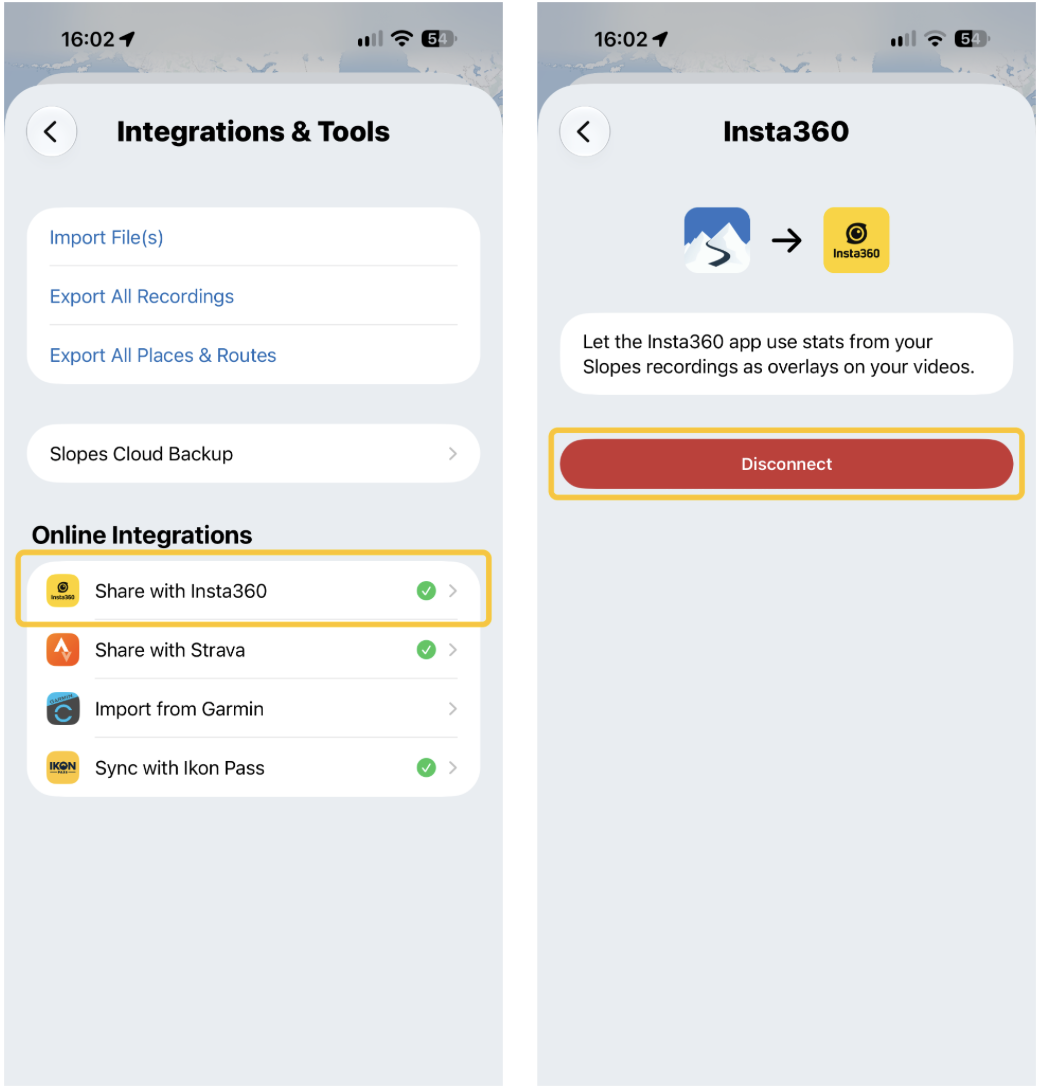
- Open Slopes and tap your profile picture at the top right of the screen to open Account
- Tap Integrations & Tools
- Tap Share with Insta360
- Tap Disconnect
Disconnect in the Insta360 app
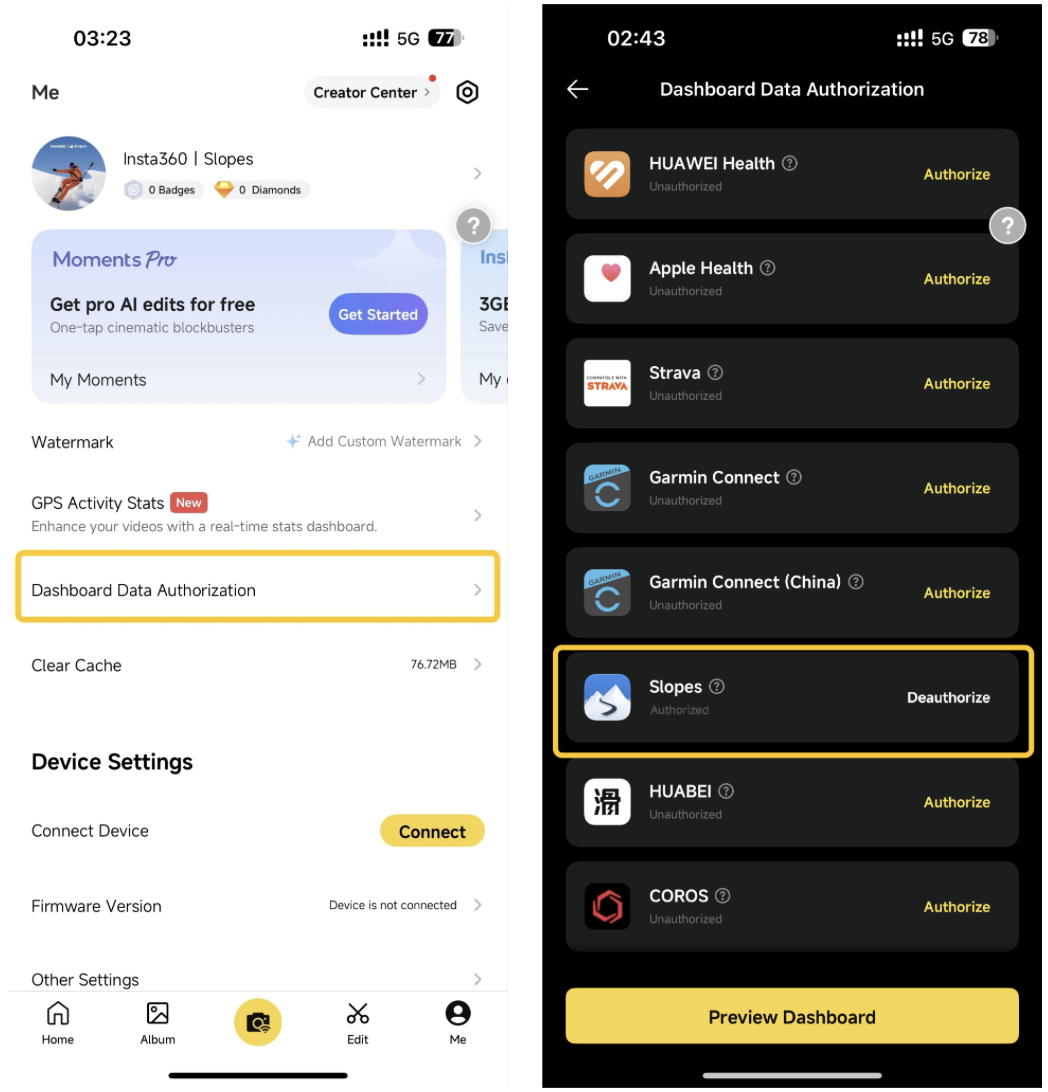
- Open the Insta360 app and tap Me
- Tap Dashboard Data Authorization
- Tap Deauthorize next to Slopes
- Go back to Me and tap Clear Cache to remove any Slopes data saved locally in the Insta360 app
Your Slopes data imported into Insta360
Disconnecting deletes your Slopes data from Insta360's servers. Tapping Clear Cache under Me in the Insta360 app removes Slopes data saved locally in the Insta360 app on your phone.