Ikon Pass + Slopes Integration
Once connected, days you record in Slopes at Ikon Pass destinations will keep your Ikon Pass standings up to date, while Ikon Pass–recorded days will start flowing into your Slopes Logbook.
How to Link Ikon Pass + Slopes
- Open Slopes and go to the Account tab
- Tap Integrations & Tools
- Tap Sync with Ikon Pass
- Sign in with your Ikon Pass account and approve the connection.
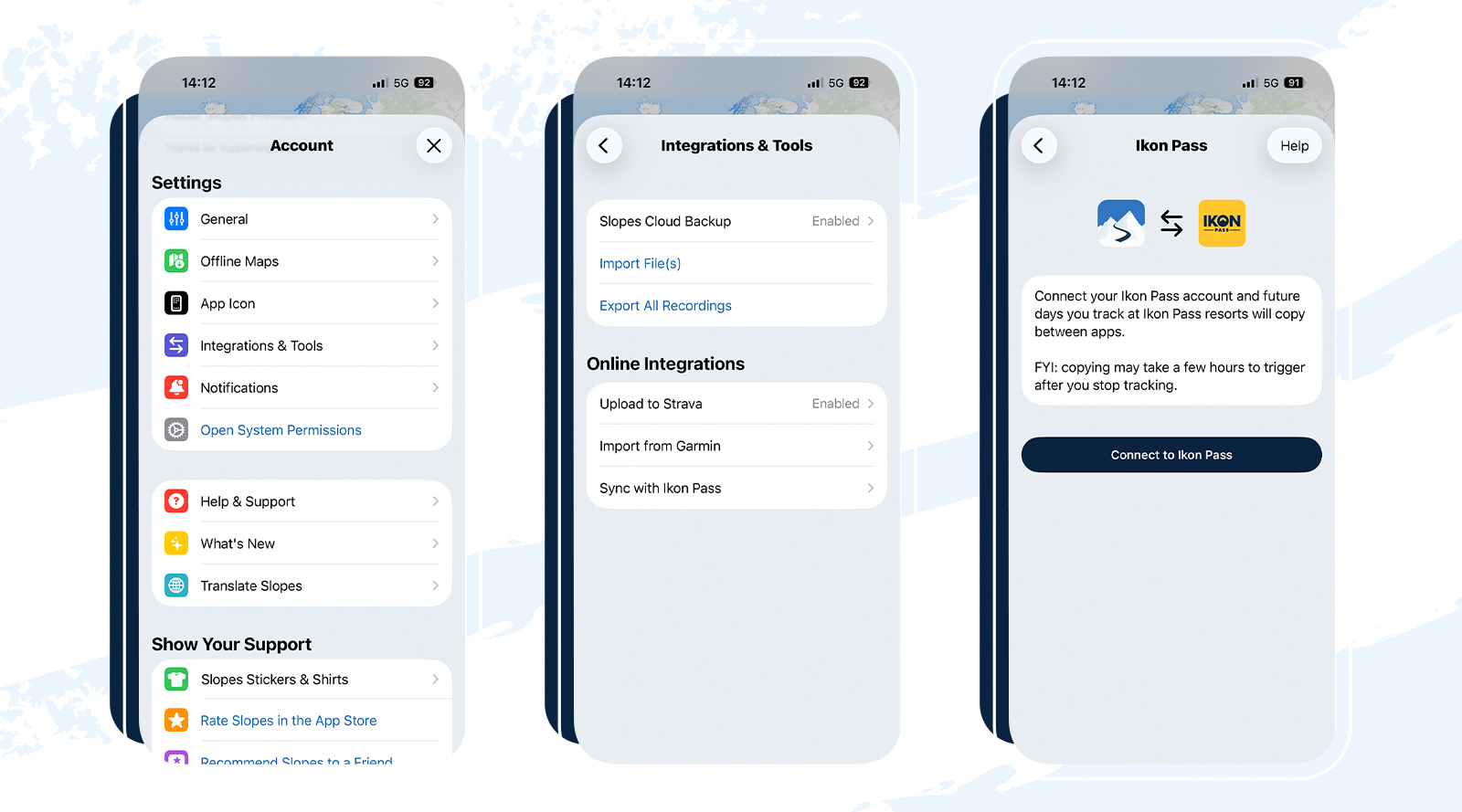
An FYI…
To keep things running smoothly, here are a few things to know:
- Not retroactive: Only ski and ride days tracked after linking accounts will sync
- Days recorded in Slopes at non-Ikon Pass resorts will not appear in the Ikon Pass app
- Multiple sessions in one day are combined into a single daily summary
- You can continue to create and track groups with family and friends in the Ikon Pass app
- Speed stats are visible in Slopes, but not in the Ikon Pass app
- We don’t recommend recording in both apps at the same time
How it works
↻ No more double-tracking. Keep all your Ikon Pass days together with everything you track in Slopes, instead of bouncing between apps.
↻ Ikon Pass credit, either way. Record in Slopes at Ikon Pass destinations and your days will count toward Achievements and Leaderboards in the Ikon Pass app.
Track in Slopes → See it in Ikon Pass
If Slopes is your go-to on the mountain, keep using it like you always have.
- Record your day in Slopes
- Your Ikon resort days automatically appear in the Ikon Pass app
- All synced days fully count toward Ikon Achievements and Leaderboards
No extra steps. No tradeoffs.
Track in Ikon Pass → See it in Slopes
Prefer starting your day in the Ikon Pass app? That works too.
- Record in the Ikon Pass app
- Your days flow into your Slopes Logbook
- Unlock Slopes’ deeper stats, season summaries, lifetime totals, and highlights
However you track, everything ends up together.